Block Yourself from Analytics
Extension is meant for webmasters to block their activity for the websites they own, no more false stats in your
Google Analytics™ data.
Features
- Blocks your Google Analytics™ activity for the websites you own
- Supports gs.js (legacy), analytics.js (universal), gtm.js (tag manager), gtag.js (global, GA4), ga-lite.js (lite), dc.js (display advertising)
- Website filter list
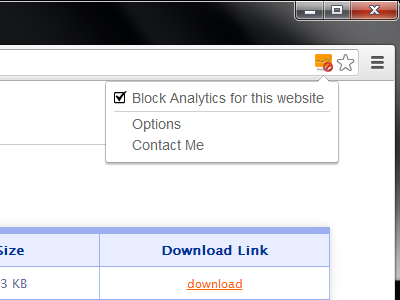
Block Yourself from Analytics screenshot (click on picture to see more)
Description
 Block your Google Analytics™ activity for the websites you own, no more false stats. This extension is not
meant to block Google Analytics™ script for all websites, it's for webmasters to block their own visits
for their websites thus avoiding false stats.
Block your Google Analytics™ activity for the websites you own, no more false stats. This extension is not
meant to block Google Analytics™ script for all websites, it's for webmasters to block their own visits
for their websites thus avoiding false stats.
Please don't ask for the ability to block Google Analytics™ for all websites, I don't support that.
How to use
- Open extension options (left click on the extension button in the browser toolbar, select options)
- Enter all your websites for which you wish to block Google Analytics™ script
Website List accepts:
- domain names in form: test.com or www.test.com (you will not block analytics on www.test.com if you enter test.com)
- domain names with '*' wildcard, example: *test.com will block analytics from test.com and all its subdomains
- Remember to click Save, and you are done
Notes
Chrome
Requires at least Chrome v63
Edge
Requires at least Edge v79
Firefox
Requires at least Firefox v55
Opera
Requires at least Opera v58